
Checklists for Malls
Every round done, on time, at the right spot, with proof.
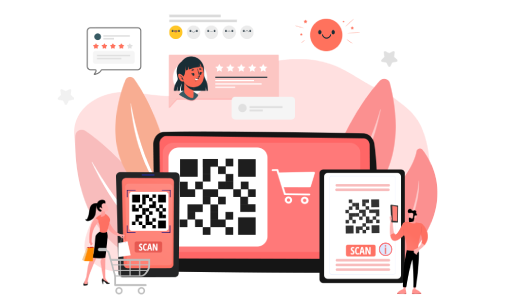
Replace paper registers with scheduled digital checklists for housekeeping, security, technical and facility teams. Staff scan a QR code at the location to start, add photos as they go, and anything missed or wrong is escalated automatically.
Paper checklists can't prove a round was done
Paper checklists get filled in at the end of the shift, from the back office. Supervisors can't tell whether a washroom was actually cleaned at 2 pm or a fire exit actually checked. Problems spotted during a round are noted down and then forgotten.
How Checklists works
Schedule the work
Set which checklist runs where, when and by which team: hourly washroom checks, nightly security rounds, monthly equipment inspections.
Scan to start
Staff scan the QR code at the location. The checklist only opens at the right place and within its time slot.
Complete with proof
They answer each item and add photos, signatures, readings or video where needed.
Flag and fix
A failed item raises an issue that goes to the right team and escalates if it isn't resolved.
Review and report
Supervisors review submissions, and managers see completion and issues live across every location.
Checklist features
Checklist builder
Create checklists with grouped questions and conditional follow-ups, without coding.
Many ways to answer
Yes/no, ratings, numbers, text, date and time, dropdowns, multi-select, photo, signature, audio, video and meter readings.
Proof it happened there
QR scan-to-start and geofencing confirm staff were at the location, and photos show the work.
Flexible schedules
Daily, weekly, monthly, ad hoc or custom, with time slots and holiday calendars.
Missed-task alerts
If a checklist isn't done in its slot, the right people are alerted and it escalates.
Issue tracking
Issues raised from checklists, or directly, can be assigned, deferred, marked duplicate and resolved, with attachments and a full activity log.
Escalation matrix
Set levels, timings and who gets alerted for unresolved issues, by location and issue type.
Department review
Route completed checklists to a supervisor or department for review.
Dashboards and MIS reports
Completion by schedule, location and team, issue dashboards and exportable MIS reports.
Who uses Checklists
- Housekeeping, security and technical staff complete checklists on their phones.
- Supervisors review submissions and handle issues.
- Facility and operations heads track completion and recurring problems across locations.
Typical mall checklists
- Washroom and common-area housekeeping
- Security patrols and night rounds
- Fire safety and emergency exit checks
- Lift, escalator and HVAC inspections
- DG set and meter readings
- Parking, food court and entrance checks
- Store opening and closing checks
Examples of what you can set up for your mall.
Frequently Asked Questions
Checklists can require a QR scan at the spot and a location check before they open.
It raises an issue that is assigned, tracked and escalated until it is resolved.
Yes. Attach a holiday calendar to any schedule.

